Email deliverability is difficult to manage when you cannot see what Gmail is detecting about your sending domain. Your emails may be properly authenticated, your content may be relevant, and your email platform may report successful delivery—but Gmail can still place some messages in Spam or reduce inbox placement.
This is where Gmail Postmaster Tools becomes useful.
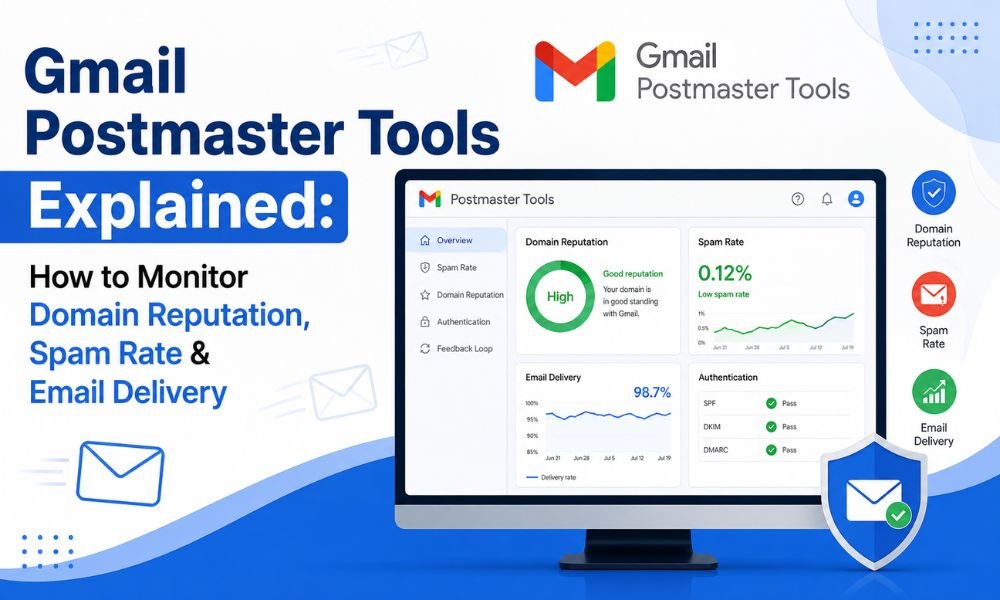
Google Postmaster Tools is designed to help email senders monitor outgoing email sent to personal Gmail accounts. It provides data related to spam rates, domain and IP reputation, authentication, encryption, delivery errors, and other sending signals.
For businesses, marketers, agencies, and organizations sending email at scale, the platform can turn an unclear deliverability problem into something that can be investigated systematically.
What Is Gmail Postmaster Tools?
Gmail Postmaster Tools is a free Google service that provides senders with information about how their email traffic is performing with Gmail.
Once your sending domain is verified, you can access dashboards that show important deliverability indicators. These include:
- Spam rate
- Domain reputation
- IP reputation
- SPF, DKIM, and DMARC authentication
- Delivery errors
- Encryption
- Feedback Loop information
- Compliance status
One important limitation is that Postmaster Tools is focused on messages sent to personal Gmail accounts, such as Gmail addresses ending in @gmail.com or @googlemail.com. Its data should therefore be treated as an important Gmail-specific signal, not a complete measurement of deliverability across every mailbox provider.
Why Should Businesses Use Postmaster Tools?
Email platforms commonly tell you whether a message was accepted by the receiving server. That does not necessarily tell you whether the message reached the inbox.
Postmaster Tools gives you another layer of visibility.
For example, if your campaign engagement suddenly declines, you can investigate whether your Gmail-facing domain reputation has changed, whether spam complaints are increasing, whether authentication is failing, or whether delivery errors have appeared.
This makes Postmaster Tools particularly useful for identifying patterns over time rather than judging deliverability from a single campaign.
It is also important to remember that Postmaster Tools data is not real-time. Google may also limit or omit certain data when email volume is too low to protect user privacy.
How to Set Up Gmail Postmaster Tools
Getting started is relatively straightforward.
Step 1: Sign in
You need a Google Account or Google Workspace account to use Postmaster Tools.
Step 2: Add your sending domain
Add the domain you use to send email campaigns or other outbound messages.
Step 3: Verify domain ownership
Google requires domain verification before you can access the associated Postmaster Tools information.
Step 4: Allow data to accumulate
Do not expect a complete dashboard immediately after verification. Google explains that dashboard information can be unavailable when traffic to personal Gmail accounts is too low.
For this reason, Postmaster Tools should be viewed as a monitoring system that becomes more useful as sufficient sending data accumulates.
1. Domain Reputation: One of the Most Important Signals
The Domain Reputation dashboard helps you understand how Gmail evaluates the quality of the domain used for sending.
Google currently describes reputation levels such as Bad, Low, Medium, and High. A high reputation is associated with very low spam levels and compliance with Gmail’s sender guidelines, while low or bad reputation indicates a history of problematic sending behavior.
Do not interpret domain reputation as a simple “inbox guarantee.”
A good reputation does not mean every email will reach the inbox. Likewise, a temporary reputation problem should not automatically lead you to abandon your domain.
Instead, use reputation data as an indicator that tells you to investigate sending behavior, recipient quality, complaints, authentication, and campaign practices.
2. IP Reputation: Is Your Sending Infrastructure Trusted?
IP reputation evaluates the quality of the IP addresses used to send email.
This can be especially relevant for organizations using dedicated SMTP infrastructure, shared sending infrastructure, or high-volume email platforms.
A reputation problem at the IP level can have different causes than a domain-level problem. Therefore, looking at both signals can help narrow down where the issue may originate.
For example, if domain reputation remains healthy while IP reputation deteriorates, reviewing the sending infrastructure and traffic associated with the IP may be worthwhile.
3. Spam Rate: Watch Recipient Complaints
The Spam Rate dashboard shows the percentage of messages that Gmail recipients manually mark as spam.
This is an important distinction: the dashboard does not simply represent every message Gmail automatically classified as spam. If Gmail is already sending many of your messages to Spam, fewer messages reach the Inbox where recipients can manually report them. As a result, your displayed user-reported spam rate can sometimes look lower than you might expect.
Google recommends keeping spam rates as low as possible. Its current Gmail sender guidance also warns that elevated spam rates can negatively affect message delivery.
Therefore, don’t celebrate a suddenly low spam rate without checking your overall delivery and reputation signals.
4. Authentication Dashboard: Check SPF, DKIM & DMARC
Postmaster Tools also provides an Authentication dashboard showing the percentage of email that passes SPF, DKIM, and DMARC authentication.
Authentication is essential, but passing authentication alone does not guarantee inbox placement.
A sender can have correctly configured SPF, DKIM, and DMARC while still experiencing poor engagement or reputation.
Think of authentication as proving that your email is legitimately associated with your sending infrastructure or domain. Reputation and recipient behavior provide additional evidence about whether Gmail should trust the messages.
If you are dealing with list-quality issues, reviewing your email verification strategy can complement your authentication checks.
5. Delivery Errors: Find Rejections and Temporary Failures
The Delivery Errors dashboard is useful when emails are being rejected or temporarily failing.
Google describes this dashboard as showing the percentage of authenticated messages that were rejected or temporarily failed compared with authenticated messages overall.
If delivery errors suddenly increase, investigate the underlying SMTP response, message formatting, authentication, sending configuration, and recipient patterns rather than simply resending the campaign.
A repeated delivery error is often more useful diagnostically than a single failed message.
6. Encryption: Check Secure Email Transmission
Postmaster Tools also provides an Encryption dashboard showing how much email traffic is sent using SSL or TLS connections.
Encryption is one component of Gmail’s sender requirements. Businesses should therefore ensure their mail infrastructure supports secure transmission and that their sending configuration follows current Gmail requirements.
7. Feedback Loop: Identify Problematic Campaigns
The Feedback Loop dashboard can help senders identify email campaigns that recipients have marked as spam.
For organizations running multiple campaigns, this can provide a more granular view than looking only at the overall domain spam rate.
You can use campaign identifiers to investigate whether particular types of messages are producing disproportionately high complaint levels. Google notes that Feedback Loop data requires sufficient reporting volume, so not every campaign will necessarily appear individually.
How to Read Postmaster Tools Like a Deliverability Professional
Do not evaluate one dashboard in isolation.
Instead, create a simple diagnostic sequence:
Spam rate increases → check domain reputation → check IP reputation → review authentication → inspect delivery errors → investigate campaign-level complaints → review recipient quality and sending practices.
This approach helps prevent a common mistake: changing email content when the real problem is infrastructure or audience quality.
For example, if your domain reputation is falling while spam complaints are increasing, rewriting the subject line may not solve the underlying issue. You may need to examine subscriber acquisition, list hygiene, campaign frequency, or sending practices.
If you need broader practical guidance, your existing guide on how to stop emails from going to spam can be used alongside Postmaster Tools for the corrective side of the process.
Important: Postmaster Tools Is Not a Complete Deliverability Score
One of the biggest mistakes is treating Postmaster Tools as a universal inbox-placement meter.
It is not.
Google states that Postmaster Tools provides information about outgoing email sent to personal Gmail accounts. Its dashboards also aren’t real-time, and low traffic can limit the available information.
Therefore, combine Postmaster Tools with your own email platform analytics, bounce information, complaint data, authentication monitoring, and campaign engagement metrics.
Also remember that Google has been transitioning senders toward Postmaster Tools v2, with newer dashboards such as Compliance Status. Google has indicated that the legacy interface will eventually be retired.
Final Thoughts
Gmail Postmaster Tools gives businesses something extremely valuable: visibility into Gmail-specific sending performance.
Instead of guessing why email performance changed, you can examine domain reputation, IP reputation, spam complaints, authentication, delivery errors, encryption, and campaign-level feedback.
The most effective approach is not to chase a single dashboard score. Use Postmaster Tools as part of a broader deliverability monitoring process.
Keep authentication correctly configured, send to recipients who expect your messages, monitor complaint trends, maintain clean subscriber data, investigate delivery errors, and watch reputation changes over time.
Most importantly, remember that good deliverability is built through consistent sending behavior and recipient trust—not through one technical setting or one successful campaign.
When Postmaster Tools is used regularly, it becomes more than a reporting dashboard. It becomes an early-warning system that can help businesses identify Gmail delivery problems before they become much larger email marketing issues.