Sending an email campaign is easy. Getting that email into the recipient’s inbox is much harder.
If your legitimate business emails are repeatedly landing in spam, the problem may not be your email copy alone. Sender reputation, authentication, list quality, engagement, sending patterns, and email infrastructure can all influence how receiving providers treat your messages.
There is no single trick that guarantees inbox placement. However, businesses can significantly improve their chances by following a consistent deliverability strategy.
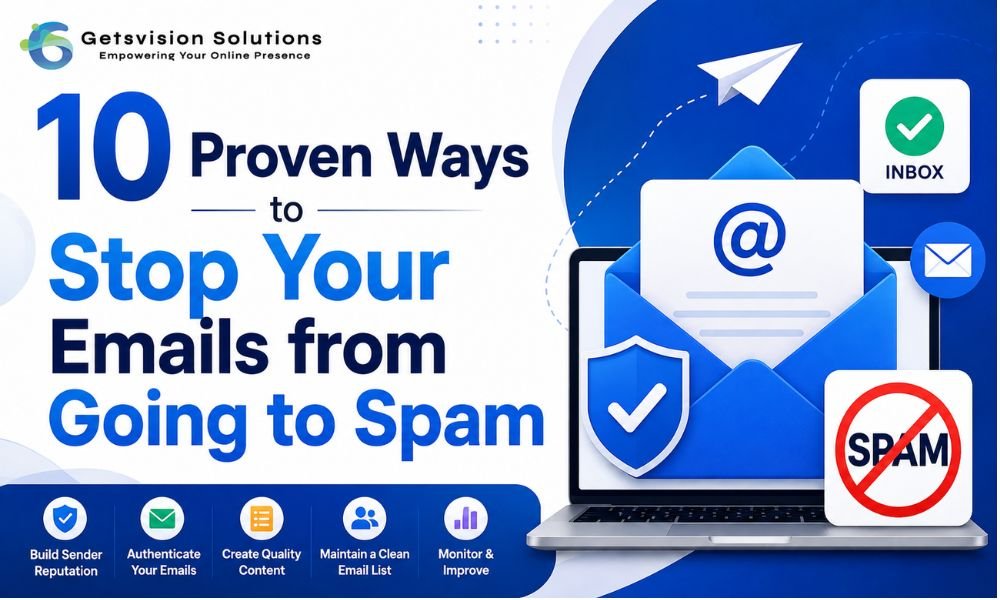
Here are 10 practical ways to reduce spam-folder placement and build a healthier email-sending reputation.
1. Authenticate Your Sending Domain
Email authentication should be one of your first priorities.
Configure the major authentication standards for your sending domain:
- SPF: Identifies authorized sending servers.
- DKIM: Adds a cryptographic signature to outgoing messages.
- DMARC: Helps receiving servers determine how to handle messages that fail authentication checks.
Authentication doesn’t automatically guarantee inbox placement, but it helps receiving systems establish that your messages are legitimately associated with your domain.
For businesses sending email at scale, authentication should be treated as essential infrastructure rather than an optional technical setting.
2. Maintain a Clean and Permission-Based Email List
A large email database isn’t necessarily a valuable one.
Sending messages to invalid, inactive, or uninterested recipients can increase bounces, complaints, and low engagement. These signals can negatively affect your overall sending reputation.
Regularly remove:
- Invalid email addresses
- Repeated hard bounces
- Long-term inactive subscribers
- Unsubscribed contacts
- Known spam traps or risky addresses
Avoid purchasing email lists. A smaller audience that genuinely wants your communication is usually more valuable than a large database with poor engagement.
If you collect leads through forms, consider using email verification before adding addresses to your marketing database. This can help reduce invalid addresses and improve list hygiene. You can learn more in our guide to email verification and list validation.
3. Send Relevant Content to the Right Audience
Not every subscriber wants every message.
If you send the same email to your entire database regardless of customer interests, engagement can suffer. Instead, segment your audience based on meaningful characteristics such as:
- Previous purchases
- Customer interests
- Location
- Signup source
- Product preferences
- Engagement history
- Customer lifecycle stage
For example, a SaaS company could separate trial users, active customers, inactive customers, and prospects rather than sending identical campaigns to everyone.
Relevance improves the user experience and can encourage healthier engagement.
4. Write Clear and Honest Subject Lines
Your subject line should accurately represent what’s inside the email.
Avoid misleading phrases, excessive punctuation, unnecessary capitalization, and sensational claims designed only to generate clicks.
Instead, aim for subject lines that are:
- Specific
- Relevant
- Concise
- Honest
- Consistent with the email content
A good subject line isn’t one that tricks someone into opening an email. It’s one that makes the right recipient understand why the message is relevant to them.
5. Don’t Ignore Email Engagement
Deliverability isn’t just about whether an email was technically accepted by a receiving server.
Pay attention to what recipients do after receiving your messages.
Monitor metrics such as:
- Delivery rate
- Bounce rate
- Click-through rate
- Spam complaints
- Unsubscribe rate
- Engagement trends
- Conversions
If a particular segment consistently ignores your emails, reconsider whether that audience should continue receiving the same frequency of communication.
Rather than trying to maximize the number of emails sent, focus on sending useful emails to people who actually want them.
6. Avoid Sudden Sending-Volume Spikes
A new domain or sending infrastructure shouldn’t suddenly go from minimal activity to extremely high volumes.
Large changes in sending behavior can create deliverability challenges, particularly when the sender has little established reputation.
If you’re launching a new sending domain, infrastructure, or campaign, build volume gradually and prioritize engaged recipients.
This process is commonly referred to as domain or IP warm-up.
The objective isn’t to artificially manipulate inbox providers. It’s to establish a consistent sending pattern while monitoring delivery and engagement signals.
7. Choose the Right Email-Sending Infrastructure
Your sending infrastructure matters, particularly when email is an important part of your business operations.
Depending on your requirements, you might use:
- SMTP relay infrastructure
- An Email API
- A managed email service
- Dedicated sending infrastructure
- A combination of these options
The right choice depends on your email volume, application architecture, technical resources, analytics requirements, and type of communication.
For example, an application sending password resets and order notifications may have different requirements from a company running large-scale promotional campaigns.
If you’re deciding between delivery technologies, our guide on SMTP vs Email API for business email explains the differences and common use cases.
8. Make Unsubscribing Easy
If recipients don’t want your marketing emails anymore, make it simple for them to leave your list.
A clear unsubscribe mechanism can help prevent frustrated users from taking the more damaging step of reporting your message as spam.
Your unsubscribe process should be:
- Easy to locate
- Straightforward to use
- Functional on mobile devices
- Clear about what the user is unsubscribing from
Also distinguish between marketing and transactional communication where appropriate. Not every operational email should be treated the same way as promotional content.
Most importantly, respect unsubscribe requests promptly.
9. Make Your Emails Useful on Mobile Devices
A poor mobile experience can reduce engagement.
Before launching a campaign, check how the email appears on different screen sizes. Make sure:
- Text is easy to read
- Buttons are easy to tap
- Images aren’t unnecessarily large
- Links work correctly
- Important information isn’t hidden inside images
- The email remains understandable when images don’t load
Don’t rely entirely on images to communicate your message. Use accessible text, meaningful content, and appropriate alternative text where images are necessary.
A good email should remain useful even when the recipient is quickly scanning it from a smartphone.
10. Monitor Your Sender Reputation and Investigate Problems Early
Email deliverability requires ongoing monitoring.
Don’t wait until your campaigns completely stop reaching inboxes before investigating.
If you notice a sudden change in delivery or engagement, review:
- Recent sending-volume changes
- Bounce rates
- Spam complaints
- Authentication status
- List sources
- Recent content changes
- Domain and IP reputation
- Engagement by audience segment
- Infrastructure configuration
- Any recent changes to your email provider
Keep records of significant changes to your email program. This makes it easier to identify what happened when performance suddenly declines.
What If Your Emails Are Already Going to Spam?
If your emails are already experiencing spam-folder placement, don’t immediately increase your sending volume or repeatedly resend the same campaign.
Instead, take a structured approach:
First, verify SPF, DKIM, and DMARC.
Second, examine bounce and complaint rates.
Third, review where your email addresses came from.
Fourth, remove invalid and clearly disengaged contacts where appropriate.
Fifth, analyze recent changes in sending volume, content, infrastructure, or audience targeting.
Finally, monitor results over time rather than judging deliverability from one campaign alone.
Final Thoughts
Improving email deliverability isn’t about finding one secret spam-filter trick. It’s about consistently demonstrating that your business is a legitimate sender providing relevant communication to people who expect to receive it.
The strongest foundation combines:
- Proper email authentication
- Permission-based lists
- Good list hygiene
- Relevant segmentation
- Honest content
- Consistent sending patterns
- Appropriate email infrastructure
- Easy unsubscribe options
- Mobile-friendly design
- Continuous reputation monitoring
Remember that no legitimate strategy can guarantee that every email will reach the inbox. Receiving providers use their own filtering systems and signals, and inbox placement can change over time.
The better goal is to build a sustainable email program based on trust, relevance, technical best practices, and genuine recipient engagement.
When those fundamentals are consistently maintained, you’re in a much stronger position to reduce spam placement and build reliable long-term email communication.