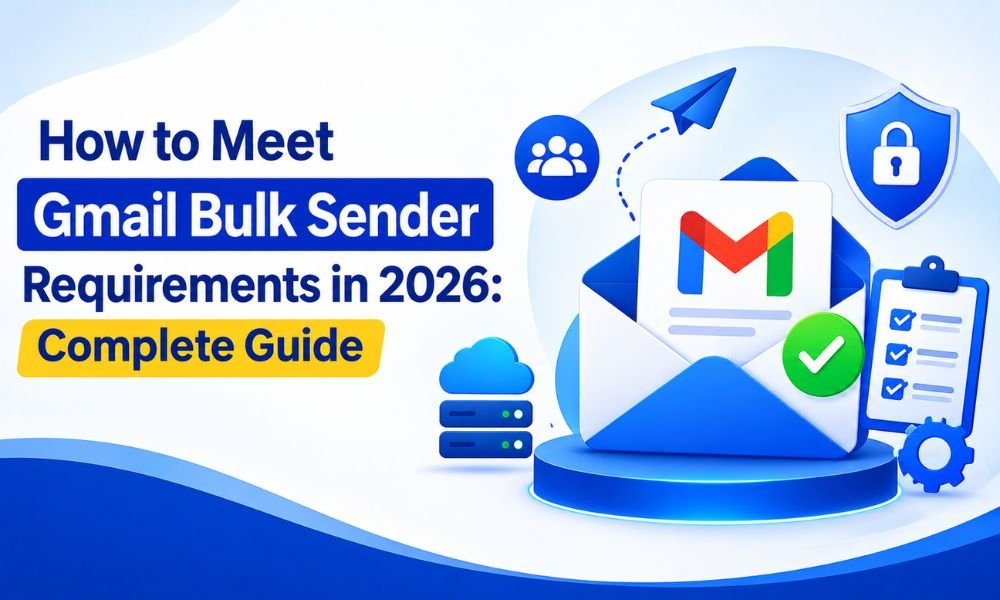
If your business sends newsletters, promotional campaigns, customer notifications, or other high-volume email to Gmail users, meeting Gmail’s bulk sender requirements is essential for maintaining inbox placement and protecting your domain reputation.
Google introduced stricter sender requirements in 2024 and began ramping up enforcement against non-compliant traffic in November 2025. As of 2026, senders that fail authentication, spam-rate, unsubscribe, or other requirements can experience temporary or permanent message rejections, as well as increased spam-folder placement.
This guide explains the Gmail bulk sender requirements for 2026, what you need to configure, and practical steps you can take to improve email deliverability.
What Is a Gmail Bulk Sender?
Google considers a sender a bulk sender when they send close to 5,000 or more messages to personal Gmail accounts within a 24-hour period.
Importantly, Google counts messages sent from the same primary domain. For example, sending 3,000 emails from mail.example.com and another 2,000 from promo.example.com can make the organization a bulk sender because both subdomains belong to the same primary domain.
Once a sender is classified as a bulk sender, that status does not expire even if the sending volume later decreases.
Therefore, businesses approaching the 5,000-message threshold should prepare for bulk-sender requirements before reaching that volume.
1. Set Up SPF Authentication
SPF, or Sender Policy Framework, tells receiving mail servers which servers are authorized to send email on behalf of your domain.
For Gmail bulk sending, SPF is one of the fundamental authentication requirements. Google requires bulk senders to authenticate their email using both SPF and DKIM, along with DMARC.
Your SPF record should identify the legitimate email platforms, SMTP servers, or email service providers that send messages for your domain.
For example, if your business uses an email service provider, that provider may give you a specific SPF record or include statement to add to your DNS.
Avoid creating multiple SPF records for the same domain. SPF should normally be published as a single TXT record.
2. Configure DKIM Correctly
DKIM, or DomainKeys Identified Mail, adds a cryptographic signature to outgoing messages. Gmail can use this signature to verify that the message was authorized by your domain and that important parts of the message were not altered during transmission.
For bulk senders, DKIM is required in addition to SPF.
After enabling DKIM through your SMTP provider or email platform, publish the required public key in your domain’s DNS.
A common mistake is configuring DKIM but failing to verify that outgoing messages actually contain a valid DKIM signature. Always test the authentication status after implementation.
3. Publish a DMARC Record
DMARC, or Domain-based Message Authentication, Reporting and Conformance, builds on SPF and DKIM and helps protect your domain against spoofing and impersonation.
Gmail requires bulk senders to have a DMARC policy. The minimum policy can be p=none, meaning you can initially monitor authentication failures without immediately rejecting unauthenticated messages.
However, Google recommends stronger authentication practices, and full alignment between your From domain and authentication domains provides a stronger foundation for deliverability.
For direct email sent to personal Gmail accounts, the domain in the visible From header must align with either the SPF domain or the DKIM domain. Google recommends eventually aligning DMARC with both SPF and DKIM where possible.
4. Keep Your Spam Rate Extremely Low
Authentication alone does not guarantee inbox placement.
Gmail monitors user-reported spam rates, and Google recommends keeping your spam rate below 0.1% while avoiding 0.3% or higher. A spam rate of 0.3% or above can significantly affect delivery and makes bulk senders ineligible for certain delivery mitigations.
This makes list quality one of the most important parts of an effective email strategy.
Do not purchase questionable email lists, send to scraped addresses, or continue mailing people who repeatedly ignore your campaigns. Use permission-based acquisition and regularly remove invalid, inactive, and unengaged subscribers.
5. Implement One-Click Unsubscribe
Marketing and promotional emails sent by bulk senders must support one-click unsubscribe.
Google specifies the use of the RFC 8058 approach, including the List-Unsubscribe and List-Unsubscribe-Post headers. A normal unsubscribe link inside the email body alone does not satisfy the one-click requirement.
You should also process unsubscribe requests promptly. Google’s current subscription guidance says senders should honor unsubscribe requests within 48 hours.
Although removing subscribers may reduce your list size, it can improve overall engagement and reduce spam complaints.
6. Use TLS and Valid DNS Records
Gmail requires email transmissions to use TLS, which helps protect messages while they are being transferred between mail servers.
Bulk senders must also maintain valid forward and reverse DNS records, commonly involving PTR records, for their sending infrastructure.
If you operate your own SMTP infrastructure, verify that your server hostname, forward DNS, reverse DNS, and IP configuration are consistent.
Businesses using third-party SMTP services should confirm that the provider properly manages the relevant sending infrastructure.
7. Separate Marketing and Transactional Email
It is good practice to separate promotional email from transactional communication.
For example, newsletters and offers can use a marketing-specific From address, while password resets, invoices, receipts, and account notifications can use a transactional address.
Google’s subscription guidance specifically recommends using different email addresses for subscription and non-subscription messages.
This separation can also make reputation monitoring and troubleshooting easier.
8. Monitor Gmail Postmaster Tools
Gmail Postmaster Tools is one of the most valuable resources for businesses sending significant email volumes to Gmail users.
It can provide information about spam rates, authentication, domain reputation, IP reputation, and other delivery-related signals. Google has also introduced a Compliance Status dashboard to help bulk senders monitor whether they meet relevant sender requirements.
Check your Postmaster data regularly rather than waiting until campaigns start landing in spam.
If your spam rate suddenly increases, investigate the cause immediately. Look at recent campaigns, list sources, engagement changes, sending-volume increases, and authentication changes.
9. Warm Up New Domains and Sending Infrastructure
A new domain or SMTP infrastructure should not immediately send a huge volume of marketing email.
Increase sending volume gradually and maintain consistent sending patterns. Sudden volume spikes can make it more difficult to establish a positive sending reputation.
A controlled warm-up process is especially important when moving to a new SMTP server, dedicated IP, or email service provider.
For additional guidance, see our detailed guide on how to warm up new email domains without hurting deliverability.
10. Regularly Check Your Domain Reputation
Your technical configuration can be perfect while your reputation remains poor.
Monitor bounce rates, spam complaints, engagement, authentication failures, and blocklist activity. Remove hard bounces quickly and investigate unusual complaint spikes.
If you suspect your domain or IP has been listed, our guide on how to check whether your domain is on an email blacklist can help you identify potential reputation problems.
Gmail Bulk Sender Compliance Checklist for 2026
Before launching a high-volume campaign, verify the following:
- SPF is correctly configured.
- DKIM is enabled and passing.
- DMARC is published with at least
p=none. - Your From domain aligns with SPF or DKIM.
- Sending servers have valid forward and reverse DNS.
- Email is transmitted using TLS.
- Messages follow standard email formatting requirements.
- Marketing emails include RFC 8058 one-click unsubscribe.
- Unsubscribe requests are honored within 48 hours.
- Spam rates remain below 0.1% whenever possible.
- Spam rates never reach 0.3% or higher.
- Recipients have explicitly opted into your communications.
- Hard bounces and invalid addresses are removed.
- Sending volume increases gradually.
- Gmail Postmaster Tools is monitored regularly.
Final Thoughts
Meeting Gmail bulk sender requirements in 2026 is not simply a matter of adding SPF, DKIM, and DMARC records. Successful email delivery depends on a combination of authentication, domain reputation, recipient consent, list hygiene, sending behavior, unsubscribe handling, and continuous monitoring.
The most important principle is to treat Gmail compliance as an ongoing process rather than a one-time technical setup. Google’s enforcement has become more active, and non-compliant traffic can face temporary or permanent delivery failures.
Businesses that authenticate their domains correctly, maintain clean permission-based lists, keep spam complaints exceptionally low, provide genuine one-click unsubscribe, and continuously monitor Gmail Postmaster Tools will be in a much stronger position to achieve reliable inbox placement throughout 2026.