Choosing the right server for website hosting is one of the most important decisions you can make when launching or growing a website. Your hosting environment affects website speed, uptime, security, scalability, resource availability, and ultimately the experience visitors have on your site.
Whether you run a small business website, an eCommerce store, a WordPress blog, or a growing web application, the cheapest hosting plan is not always the best choice. The right server should match your website’s current requirements while leaving enough room for future growth.
In this guide, we’ll explain the most important factors to consider when choosing a server for website hosting so you can make a practical and informed decision.
1. Understand Your Website’s Requirements
Before comparing hosting providers, identify what your website actually needs. A basic portfolio website will have very different requirements from an online store receiving thousands of visitors every day.
Consider factors such as:
- Expected monthly traffic
- Website platform, such as WordPress or another CMS
- Number and size of website files
- Database requirements
- Expected growth
- Applications or plugins you need to run
- Storage and bandwidth requirements
- Security and compliance needs
For example, a small business website may perform well on shared hosting, while a resource-intensive eCommerce store may require VPS or dedicated hosting.
Starting with your actual requirements helps prevent both under-provisioning and unnecessary spending.
2. Compare Different Types of Hosting Servers
Hosting providers generally offer several options, including shared hosting, VPS hosting, dedicated servers, and cloud hosting.
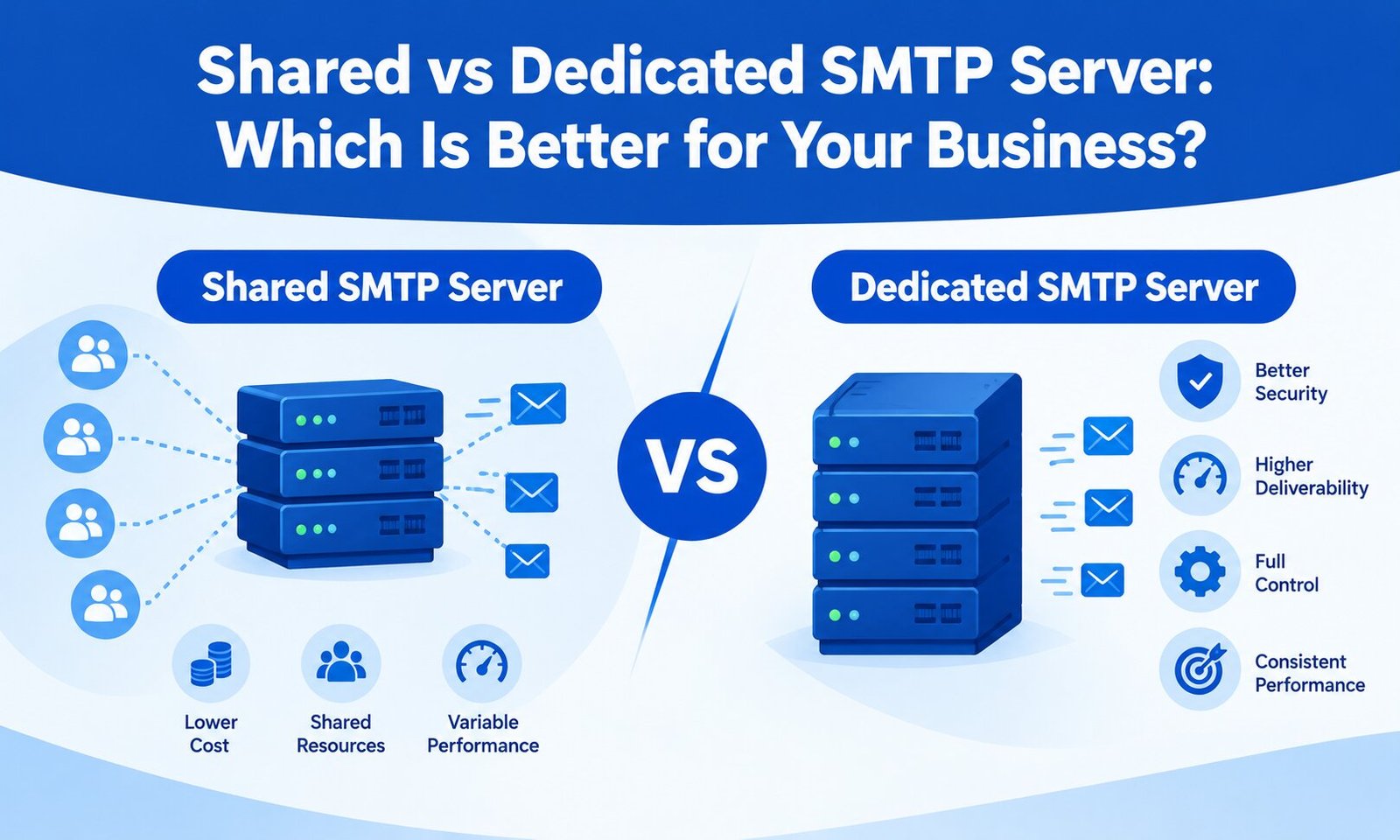
Shared hosting is usually suitable for smaller websites and beginners. Multiple websites share server resources, making this option affordable, but performance can be affected when neighboring sites consume significant resources.
VPS hosting provides a more isolated environment with dedicated portions of CPU, RAM, and storage. It can be a good middle ground for businesses that have outgrown shared hosting but do not yet need a complete physical server.
Dedicated hosting gives you an entire physical server. It offers greater control and resources but generally costs more and may require greater technical knowledge.
Cloud hosting distributes resources across a cloud infrastructure and can provide flexible scalability. It is particularly useful for websites and applications with changing traffic patterns.
The best option depends on your traffic, budget, technical requirements, and expected growth rather than simply choosing the most powerful server available.
3. Check Server Performance and Speed
Website speed is an important part of user experience. Slow pages can frustrate visitors and potentially affect conversions, engagement, and search performance.
When evaluating a hosting server, look beyond advertised storage space. Check the quality of the underlying infrastructure, CPU performance, available RAM, storage technology, network capacity, and server configuration.
SSD or NVMe storage can provide significantly faster data access than traditional hard drives. However, storage technology is only one part of overall performance. Server software, caching, database optimization, network quality, and website code can also have a major impact.
A fast server cannot completely compensate for an poorly optimized website, so hosting should be considered alongside overall website performance.
4. Look for Reliable Uptime
Your website needs to be available when customers want to access it. Frequent downtime can result in lost visitors, missed leads, interrupted transactions, and damage to customer confidence.
When comparing hosting companies, review their published uptime commitments and service-level agreements where available. Also investigate how they handle infrastructure failures and maintenance.
A reliable provider should have appropriate redundancy, monitoring, backup systems, and technical processes designed to minimize service interruptions.
Do not judge a provider solely by an attractive uptime percentage. Look at the infrastructure and support practices behind that promise.
5. Consider Scalability Before You Buy
Your hosting requirements may change as your website grows. A server that works perfectly today might struggle after your traffic, database size, or application requirements increase.
Choose a hosting provider that makes it relatively easy to upgrade CPU, RAM, storage, bandwidth, or other resources.
Cloud and VPS environments can be particularly useful for growing businesses because resources can often be adjusted without moving immediately to an entirely different hosting architecture.
Planning for scalability can save you the hassle of migrating your website during a period of rapid growth.
6. Evaluate Security Features
Security should be a priority regardless of the size of your website. Your hosting environment should support essential security measures such as firewalls, malware monitoring, secure access controls, SSL/TLS certificates, regular updates, and reliable backups.
Ask whether the provider offers automated backups and how frequently those backups are created. More importantly, understand whether backups are stored separately from the primary server and how quickly they can be restored.
You should also consider server-level protections against common attacks, along with your own website security practices.
Remember that hosting security is a shared responsibility. A secure server does not eliminate vulnerabilities caused by outdated plugins, weak passwords, insecure themes, or poorly maintained applications.
7. Check Backup and Disaster Recovery Options
A backup is valuable only if it can actually be restored when something goes wrong.
Before purchasing hosting, determine:
- How often backups are performed
- How long backups are retained
- Where backups are stored
- Whether backups are automatic
- How restoration works
- Whether restoration carries an additional cost
For business-critical websites, maintaining an independent backup strategy can provide additional protection.
A disaster recovery plan is particularly important for eCommerce stores, membership websites, SaaS applications, and websites that regularly collect customer information.
8. Examine Customer Support
Technical support can become extremely important when your website experiences downtime, server errors, database problems, or unexpected performance issues.
Check whether the provider offers 24/7 support and which communication channels are available. Live chat may be convenient for basic questions, while phone or ticket-based support can be valuable for complex technical problems.
Pay attention to the provider’s reputation for response quality, not simply response time. A quick but generic response is less useful than support from someone who understands server and hosting issues.
If you are comparing providers, you can also review broader options in this guide to the best website hosting service providers before making a final decision.
9. Review Server Location and Network Quality
The physical location of your server can influence network latency. In general, selecting a hosting location reasonably close to your primary audience can help reduce connection delays.
For example, if most of your customers are in India, a hosting location in or near India may be worth considering. If your audience is distributed internationally, a cloud infrastructure or content delivery network (CDN) can help deliver content more efficiently across different regions.
Server location should therefore be evaluated alongside network quality, routing, CDN compatibility, and your audience’s geographic distribution.
10. Compare Price With Total Value
Price matters, but it should not be the only factor.
A low-cost hosting plan may become expensive if you later need to pay for additional backups, security services, migrations, performance upgrades, or technical support.
Instead of comparing monthly prices alone, consider the total value you receive, including:
- Included resources
- Backup facilities
- Security features
- Support quality
- Upgrade options
- Management services
- Server performance
- Migration assistance
A slightly more expensive server can be the better investment if it provides improved reliability and reduces technical problems.
11. Think About Managed vs. Unmanaged Hosting
Technical expertise is another important consideration.
With unmanaged hosting, you typically have more control but are responsible for tasks such as server configuration, updates, security hardening, monitoring, and troubleshooting.
Managed hosting can be more convenient for businesses that want to focus on their website rather than server administration. The provider may handle many routine technical tasks on your behalf.
If you do not have an experienced system administrator, managed hosting can potentially save considerable time and reduce operational complexity.
12. Choose a Server That Matches Your Growth
The best server for website hosting is not necessarily the one with the highest specifications. It is the server that provides the right combination of performance, reliability, security, scalability, support, and cost for your particular website.
Before purchasing, create a simple checklist of your current requirements and expected growth. Compare hosting types, server resources, uptime commitments, security features, backup policies, support, scalability, and total cost.
For businesses that depend heavily on their website for leads or online sales, hosting should be viewed as an infrastructure investment rather than simply another monthly expense.
Final Thoughts
Choosing the best server for website hosting requires more than comparing storage and pricing. You need to consider how your website operates today, how much traffic you expect, what level of security you need, and where your business could be in the next few years.
A well-chosen hosting environment can provide a strong foundation for website performance, security, and growth. Take time to evaluate your requirements, compare reputable providers, and select a solution that offers enough resources today while giving your website room to expand tomorrow.