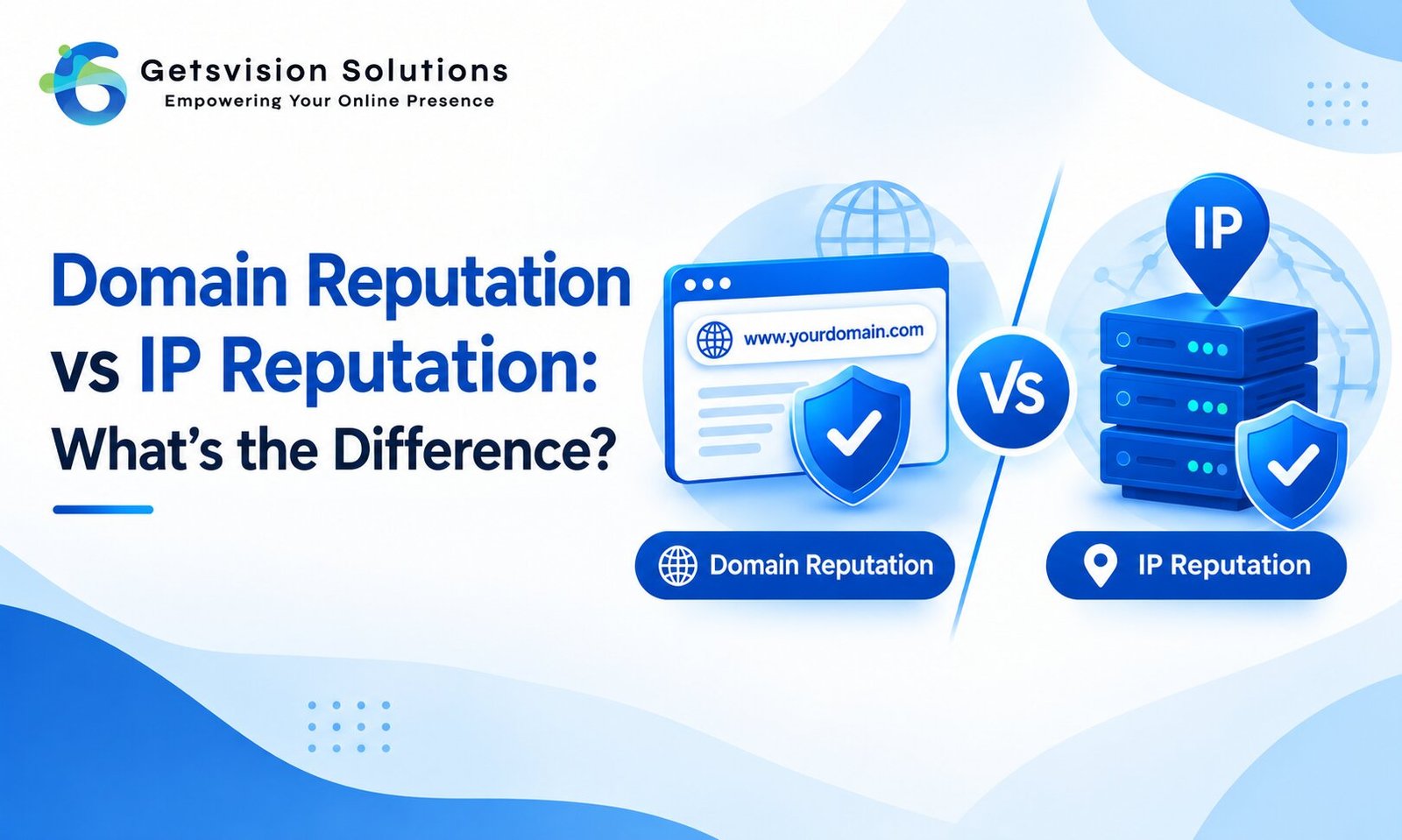
When an email lands in the spam folder—or gets rejected entirely—many senders immediately blame their SMTP server or email service provider. But email deliverability is influenced by more than just the server you use. Two important factors are domain reputation and IP reputation.
Although they work together, domain reputation and IP reputation are not the same thing. Understanding the difference can help businesses diagnose delivery problems, choose the right email infrastructure, and build a healthier sending reputation over time.
In simple terms, IP reputation evaluates the history and behavior of the IP address sending your emails, while domain reputation evaluates the reputation associated with your sending domain.
Let’s look at how each works and why both matter.
What Is IP Reputation?
IP reputation refers to how email providers view the IP address from which your messages are sent.
Every outgoing email is transmitted through a sending server with an IP address. Internet service providers and mailbox providers can evaluate the history of that IP based on factors such as spam complaints, suspicious traffic, authentication, bounce behavior, sending patterns, and other signals.
For example, imagine your business sends emails through a dedicated IP address. If that IP consistently sends legitimate emails to engaged recipients, maintains good authentication, and avoids spam complaints, it can develop a positive reputation.
On the other hand, if the IP is repeatedly associated with spam or abusive sending behavior, its reputation can deteriorate.
This becomes particularly important with shared IP addresses. When multiple senders use the same IP, the behavior of other senders can affect the reputation of that IP and potentially influence your deliverability. Google specifically notes that activity from other senders on a shared IP can affect the reputation of everyone using it.
What Is Domain Reputation?
Domain reputation is the reputation associated with your sending domain, such as example.com.
Instead of focusing primarily on the server’s IP address, mailbox providers evaluate how your domain behaves as an email sender.
Your domain reputation can be influenced by factors such as:
- Spam complaints
- Recipient engagement
- Authentication practices
- Sending consistency
- Email quality
- Bounce rates
- Unwanted or unsolicited messages
- Domain history
- Alignment between authentication and the visible From address
Google’s Postmaster Tools provides a specific Domain Reputation dashboard alongside its IP Reputation dashboard. Google explains that reputation is based on the sending behavior associated with domains and IP addresses.
This distinction is increasingly important because changing your email server or IP address does not necessarily solve a domain-level reputation problem.
Domain Reputation vs IP Reputation: Key Difference
The easiest way to understand the difference is to think of your domain as your business identity and your IP address as the infrastructure used to deliver your mail.
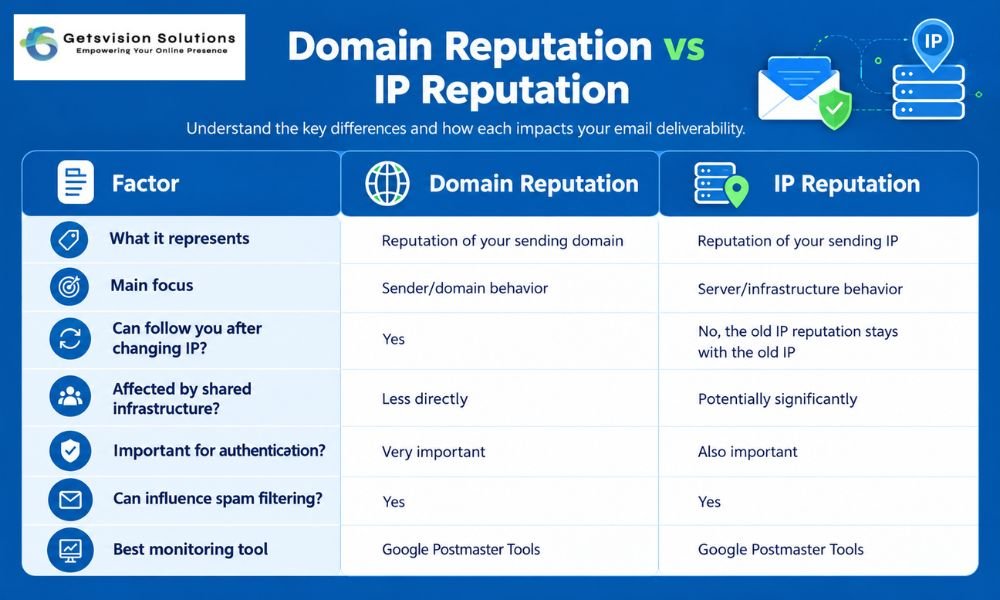
The two reputations can therefore tell different stories.
For instance, your domain may have a strong history, but your new shared SMTP IP could have a poor reputation. Conversely, you might have a clean dedicated IP but a domain that has generated excessive spam complaints.
Which Is More Important: Domain or IP Reputation?
There isn’t a simple “one is more important” answer.
Both matter, but domain reputation is increasingly important for establishing the long-term identity of your email program.
Think about what happens when you move email providers. Your IP address may change, but your domain often remains the same. If your domain has consistently demonstrated responsible sending behavior, that history can remain valuable.
However, a poor IP reputation can still create immediate delivery problems. Google Postmaster Tools specifically reports both domain and IP reputation and provides separate diagnostics for low-reputation domains and IP addresses.
For businesses sending large volumes, the best approach is therefore not to choose between them. Instead, monitor and improve both.
How Authentication Affects Reputation
Email authentication is one of the foundations of a trustworthy sending infrastructure.
The three technologies most commonly discussed are:
- SPF – identifies authorized servers that can send email for a domain.
- DKIM – adds a cryptographic signature that helps verify message authenticity.
- DMARC – builds on SPF and DKIM and provides policy and reporting mechanisms.
Google currently requires senders to Gmail accounts to use SPF or DKIM, while bulk senders must meet additional authentication requirements, including SPF, DKIM, and DMARC. Google also requires valid forward and reverse DNS records and TLS for mail delivery.
If you’re unsure how these authentication methods work together, our guide to SPF vs DKIM vs DMARC provides a useful starting point.
Authentication does not automatically give you a good reputation. Instead, it helps establish that your email infrastructure is properly authorized and makes it harder for attackers to impersonate your domain.
How to Improve Domain Reputation
Improving domain reputation is a long-term process. There is no single setting that instantly turns a poor reputation into a good one.
Start with these practices:
1. Send to people who expect your emails
Avoid purchased, scraped, or questionable email lists. Sending to people who genuinely want your messages reduces the likelihood of spam complaints.
2. Keep spam complaints low
Recipient complaints are one of the clearest warning signs that your sending program needs attention.
Google recommends keeping spam rates very low and warns that high spam rates can affect delivery.
3. Authenticate your domain
Configure SPF and DKIM correctly and implement DMARC. Make sure your visible From domain is appropriately aligned with your authentication setup.
4. Maintain consistent sending patterns
Sudden spikes in email volume can create delivery problems, particularly for newer sending domains. Google recommends consistent sending behavior rather than sending large bursts followed by periods of inactivity.
5. Remove inactive recipients
Regularly clean your email lists. Continuing to send large volumes to inactive or invalid recipients can hurt overall engagement and increase bounce or complaint signals.
How to Improve IP Reputation
Improving IP reputation requires attention to the infrastructure behind your email.
If you’re using a shared IP, investigate whether other senders could be affecting its reputation. If your organization has sufficiently large and consistent sending volumes, a dedicated IP may provide greater control—but it also means you become responsible for building and maintaining that IP’s reputation.
You should also configure proper reverse DNS/PTR records, use TLS, authenticate your messages, maintain consistent sending patterns, and monitor delivery errors.
For businesses that rely heavily on transactional or marketing emails, choosing the right infrastructure is especially important. A technically powerful SMTP server cannot compensate for poor sending practices.
How to Check Your Domain and IP Reputation
One of the most useful resources for Gmail-focused senders is Google Postmaster Tools.
Its dashboards can provide information about:
- Domain reputation
- IP reputation
- Spam rates
- Authentication
- Delivery errors
- Encryption
- Compliance status
Google classifies reputation using ratings such as Bad, Low, Medium, and High. The exact data available can vary depending on sending volume and other factors.
Remember that reputation data is not necessarily real-time, so don’t assume that a recent change will immediately appear in your dashboard.
You can also investigate whether your sending domain or IP appears on relevant email blocklists. However, being listed on a particular blocklist does not automatically mean every mailbox provider will reject your email. Reputation and filtering decisions are provider-specific.
What Should You Focus on First?
If your emails are going to spam, don’t immediately purchase a new IP or switch SMTP providers.
First, identify whether the problem is related to your domain, IP, authentication, content, list quality, or sending behavior.
A useful troubleshooting sequence is:
- Check Google Postmaster Tools.
- Review domain and IP reputation.
- Check SPF, DKIM, and DMARC.
- Review spam complaint rates.
- Check bounce rates and list quality.
- Investigate your sending IP and PTR records.
- Review recent changes in sending volume.
- Check whether you’re using shared or dedicated infrastructure.
This approach is usually more effective than changing infrastructure without identifying the underlying problem.
Final Thoughts
Domain reputation and IP reputation are closely connected, but they measure different aspects of email trust.
Your IP reputation reflects the history of the infrastructure sending your messages, while domain reputation reflects the reputation associated with your sending domain and its email behavior.
A good IP cannot completely rescue a domain with consistently poor sending practices. Likewise, a reputable domain can still experience delivery problems if it sends through a problematic IP.
For sustainable email deliverability, focus on the complete sending ecosystem: authentication, recipient consent, low spam complaints, clean lists, consistent volume, reliable infrastructure, and ongoing monitoring.
If you send email regularly, make Google Postmaster Tools part of your monitoring process. More importantly, treat your domain reputation as a long-term business asset. Building trust with mailbox providers takes time, while rebuilding a damaged reputation can take considerably longer.
The goal isn’t simply to get today’s email delivered. The goal is to create a sending program that recipients and mailbox providers can continue to trust.