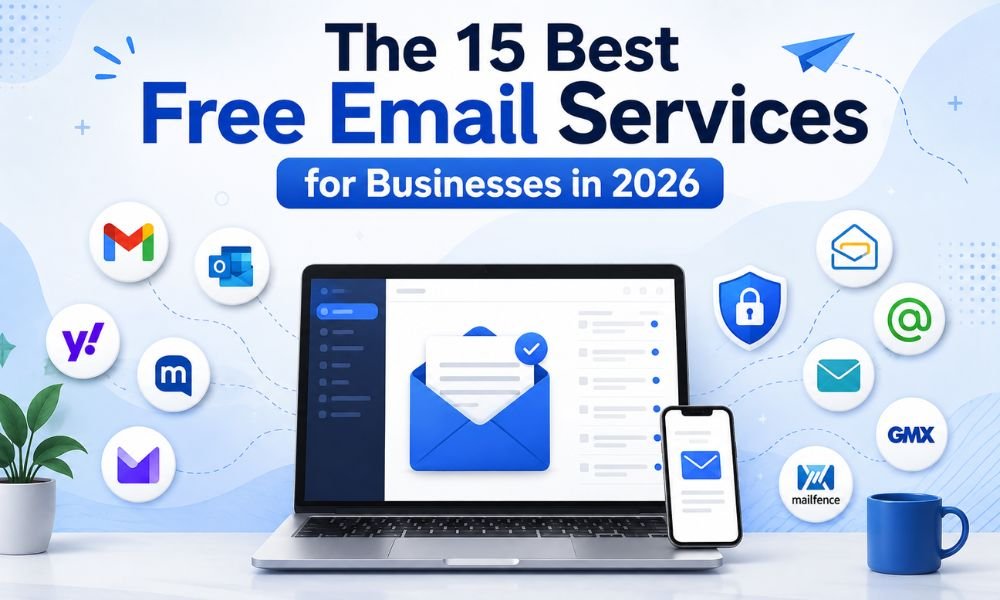
Finding a reliable free email service for business can be challenging. Many platforms advertise free plans, but the actual value depends on sending limits, subscriber restrictions, automation, deliverability, analytics, integrations, SMTP/API access, and how easily you can upgrade when your business grows.
The good news is that businesses no longer need to commit to an expensive email marketing platform before testing whether it fits their workflow. Several providers offer free plans, trials, or free sending credits that can help startups, small businesses, marketers, developers, and new online businesses get started.
In this guide, we compare 15 of the best free email services for businesses in 2026, focusing on practical factors such as ease of use, campaign functionality, sending capacity, automation, scalability, and business use cases.
How We Evaluated the Best Free Email Services
A free email service should not be judged solely by the word “free.” A platform may have a generous free plan but still be unsuitable for a growing company if it has poor automation, limited reporting, weak integrations, or restrictive sending policies.
For this comparison, the most important considerations are:
- Free email credits or sending allowance
- Subscriber/contact limitations
- Email campaign functionality
- SMTP or API availability
- Automation capabilities
- Deliverability features
- Analytics and reporting
- Templates and email editors
- Integrations
- Ease of use
- Scalability
- Upgrade options
Free-plan terms can change, so businesses should verify the provider’s current pricing and usage limits before launching an important campaign.
1. Getsvision Solutions – Best for 500 Free Email Credits
Best for: Businesses that want to test email sending before paying.
Getsvision Solutions is our first choice for businesses looking for a straightforward way to test an email sending service because it offers 500 free email credits.
Free credits can be especially useful for startups and small businesses that are still evaluating their sending requirements. Instead of immediately purchasing a larger package, you can use the available credits to understand how the service fits your workflow.
Businesses can use an initial sending allowance to test campaign setup, audience management, delivery performance, and their overall email workflow before deciding how much sending capacity they actually need.
This approach can also be useful for companies transitioning from basic mailbox-based sending to a dedicated email infrastructure.
Best feature: 500 free email credits.
Best for: Startups, small businesses, marketers, and businesses testing email sending services.
2. Brevo – Best for Send-Based Pricing
Best for: Businesses with large contact lists but moderate sending requirements.
Brevo is one of the better-known options for businesses that prefer email-volume-based pricing. Its current free plan is listed at $0 and includes 300 email sends per day, along with features such as email campaigns, transactional email, a drag-and-drop editor, templates, basic reporting, and marketing automation with limits.
One of its advantages is that contact storage and email sending are treated differently. That can make the model attractive to businesses that maintain a large database but don’t email every contact every day.
Brevo also provides tools beyond traditional email marketing, including CRM and other communication channels.
Best feature: Flexible free entry point and multi-channel capabilities.
Best for: Small businesses, startups, newsletters, and businesses with large contact databases.
3. MailerLite – Best for Simple Email Campaigns
Best for: Small businesses and creators that prioritize ease of use.
MailerLite is known for its relatively straightforward interface and campaign-building tools. Users can create newsletters, landing pages, forms, and automation workflows without needing extensive technical knowledge.
However, businesses should pay close attention to current free-plan restrictions. MailerLite announced a significant free-plan change in June 2026, reducing the free subscriber limit to 250 active subscribers and the monthly sending limit to 2,500 emails. The company also stated that certain feature limits would apply to free accounts from August 13, 2026.
That makes it important to check the latest plan details before relying on the free tier for a growing mailing list.
Best feature: User-friendly campaign creation.
Best for: Small lists, newsletters, freelancers, and beginners.
4. Sender – Best for Small Businesses
Best for: Businesses looking for email marketing and automation in one platform.
Sender combines newsletter campaigns, automation, forms, segmentation, and transactional email functionality. Its straightforward approach can be useful for smaller organizations that want essential email marketing features without building a complicated technology stack.
The platform has also been highlighted in 2026 comparisons for its relatively generous free offering and support for both marketing and transactional email use cases.
For businesses considering Sender, the important consideration is whether its free-tier limits and feature set match your list size and sending frequency.
Best feature: Combination of marketing and transactional email functionality.
Best for: Small businesses and growing email lists.
5. EmailOctopus – Best for Straightforward Email Marketing
Best for: Beginners who want a simple email marketing platform.
EmailOctopus focuses on keeping email campaigns relatively straightforward. Its appeal is particularly strong for users who don’t need a huge collection of advanced marketing features.
Its own 2026 guide emphasizes that businesses should look closely at subscriber limits and sending restrictions when comparing free email marketing tools.
This makes EmailOctopus worth considering if your main objective is creating and sending newsletters without unnecessary complexity.
Best feature: Simple campaign management.
Best for: Bloggers, startups, small businesses, and newsletter creators.
6. Mailchimp – Best for Brand Recognition
Best for: Businesses that want a familiar and established email marketing ecosystem.
Mailchimp remains one of the most recognizable names in email marketing. Its platform provides campaign creation, audience management, templates, analytics, integrations, and marketing functionality.
However, the free tier has become more restrictive than it once was, and current third-party 2026 reviews report significant reductions in its free allowances.
Therefore, Mailchimp can still be useful for testing the ecosystem, but businesses should carefully compare its current free limits against alternatives before choosing it solely because of brand recognition.
Best feature: Mature ecosystem and broad integrations.
Best for: Businesses already familiar with Mailchimp.
7. HubSpot – Best for CRM Integration
Best for: Businesses that want email marketing connected with customer relationship management.
HubSpot takes a broader approach than a standalone newsletter platform. Its ecosystem combines CRM capabilities with marketing, sales, customer service, and other business tools.
For companies that want to connect email activity with customer records and broader sales processes, this can be a significant advantage.
The trade-off is complexity. Businesses that only need a simple newsletter tool may find a dedicated email service easier to manage.
Best feature: CRM-centered marketing ecosystem.
Best for: Growing businesses and sales-driven teams.
8. Kit – Best for Creators and Content Businesses
Best for: Creators, bloggers, educators, and personal brands.
Kit, formerly known as ConvertKit, focuses heavily on creators and audience-building businesses.
Its features are designed around newsletters, subscriber management, forms, landing pages, tagging, and automated audience journeys.
For a creator selling digital products, courses, memberships, or other content, Kit can be more suitable than a traditional corporate email platform.
Best feature: Creator-focused audience management.
Best for: Bloggers, creators, consultants, and educators.
9. Zoho Campaigns – Best for Zoho Users
Best for: Businesses already using the Zoho ecosystem.
Zoho Campaigns is worth considering if your business already uses Zoho CRM or other Zoho applications.
The advantage of choosing a platform within an existing ecosystem is reduced integration complexity. Customer information, marketing activities, and other business workflows can potentially work together more efficiently.
Businesses should check the current free-plan restrictions and eligibility requirements before selecting it for regular campaign activity.
Best feature: Integration with the broader Zoho ecosystem.
Best for: Zoho customers and small-to-medium businesses.
10. Omnisend – Best for Ecommerce
Best for: Online stores and ecommerce brands.
Omnisend is built around ecommerce marketing and is particularly relevant for businesses that want to combine email with other customer communication channels.
Its ecommerce-oriented functionality can help businesses build campaigns around products, customer activity, promotions, and lifecycle events.
For an online store, the right email platform should be evaluated not just by free email volume but also by ecommerce integrations and automation capabilities.
Best feature: Ecommerce-oriented marketing workflows.
Best for: Shopify and ecommerce businesses.
11. AWeber – Best for Traditional Email Marketing
Best for: Small businesses that want established email marketing functionality.
AWeber is a long-standing email marketing platform with tools for newsletters, automation, templates, forms, and subscriber management.
Its established presence makes it an option worth evaluating for businesses that prefer a traditional email marketing workflow.
Before signing up, compare its current free-plan restrictions with newer competitors because pricing structures and free allowances can change.
Best feature: Established email marketing toolkit.
Best for: Small businesses, consultants, and newsletter publishers.
12. GetResponse – Best for Broader Marketing Features
Best for: Businesses looking beyond basic newsletters.
GetResponse combines email marketing with features such as landing pages, automation, webinars, and other marketing tools.
That broader functionality may appeal to businesses that want to eventually build a more complete marketing funnel.
However, users should distinguish between what is available in a free plan, trial, and paid plan. A “free” entry point does not necessarily mean that every advanced feature is included indefinitely.
Best feature: Wider marketing ecosystem.
Best for: Businesses building lead-generation funnels.
13. Moosend – Best for Testing Advanced Features
Best for: Businesses evaluating automation and advanced email functionality.
Moosend offers email marketing automation, landing pages, subscription forms, transactional email, and SMTP-related functionality.
One important distinction is that its current website promotes a 30-day free trial, rather than positioning the service as a permanently free plan.
That makes Moosend more suitable for businesses that want to test a broader set of features before purchasing rather than those specifically looking for unlimited free email sending.
Best feature: Broad marketing and automation toolkit.
Best for: Businesses evaluating paid email marketing software.
14. Email Marketing Platforms With Free Trials
Best for: Businesses that need to test premium features.
Some email marketing providers use a free trial rather than a permanent free plan.
This model can actually be useful for businesses that want to evaluate advanced features such as automation, reporting, integrations, segmentation, and transactional email before making a purchase.
However, always check the trial duration, sending allowance, feature restrictions, and whether a credit card is required.
A trial and a permanent free plan are not the same thing, so businesses should compare them separately.
15. Free SMTP and Email API Services
Best for: Developers, SaaS companies, websites, and transactional email.
Not every business needs a traditional email marketing dashboard.
If your main requirement is sending password resets, order confirmations, account notifications, invoices, alerts, or application-generated emails, an SMTP service or email API may be more appropriate.
This is particularly important for developers and SaaS businesses because transactional email often needs to be triggered automatically by an application rather than manually sent as a marketing campaign.
If you’re deciding between SMTP infrastructure and an email API, understanding the differences between [SMTP vs email API for businesses] can help you choose the right architecture.
Free Email Services vs Free Email Credits: What’s the Difference?
This is an important distinction for businesses.
A free email service generally means a platform provides access to some email marketing or sending functionality without charging a subscription fee, often subject to restrictions.
Free email credits, on the other hand, provide a specific amount of sending capacity.
For example, a business may receive 500 free email credits and use those credits to test an email sending platform.
The credit-based model can be particularly useful for businesses that don’t yet know their exact monthly sending requirements.
Instead of paying for a large package immediately, you can test the platform, evaluate the workflow, and then decide whether you need more capacity.
What Should Businesses Look For in a Free Email Service?
Before choosing a free email platform, consider these questions:
1. How many emails can you send?
Don’t look only at the subscriber limit. A platform may allow hundreds or thousands of contacts but restrict the number of messages you can send.
2. Does it support SMTP or API?
SMTP and APIs are important if emails need to be sent automatically from websites, applications, CRMs, or SaaS platforms.
3. Does it provide analytics?
At minimum, businesses should look for delivery information and campaign performance reporting.
4. Can you authenticate your domain?
Proper sender authentication is an important part of professional email operations. Look for support for technologies such as SPF, DKIM, and DMARC.
5. What happens when you outgrow the free plan?
A free platform is only useful if there is a practical upgrade path when your business grows.
6. Are there restrictions on commercial email?
Always read the provider’s acceptable-use policies. A free plan does not necessarily mean you can send unlimited promotional or bulk email.
How to Choose the Best Free Email Service for Your Business
The best platform depends on what you’re trying to accomplish.
For testing email sending: Consider a service offering free credits, such as Getsvision Solutions’ 500 free email credits.
For newsletters: Look at platforms such as MailerLite, EmailOctopus, or similar newsletter-focused services.
For large contact lists: A send-based pricing model such as Brevo’s can be worth evaluating.
For ecommerce: Consider platforms designed around ecommerce automation and customer journeys.
For CRM-driven marketing: HubSpot or an ecosystem-integrated solution may make more sense.
For transactional email: Focus on SMTP and API support, authentication, deliverability monitoring, and developer integration rather than newsletter templates.
Final Verdict: Which Free Email Service Is Best in 2026?
There is no single free email service that is perfect for every business.
For companies that want to test an email sending service without immediately purchasing a larger package, Getsvision Solutions stands out with 500 free email credits.
Brevo is worth considering for businesses that prefer a send-based model and multi-channel functionality. MailerLite can suit users who value straightforward campaign creation, although its 2026 free-plan limits have changed. Sender and EmailOctopus are useful alternatives for smaller businesses, while Kit is particularly relevant to creators.
For larger organizations, the most important question isn’t simply “Which service is free?” It is “Which service can support our email strategy as we grow?”
Before choosing a platform, compare sending limits, contacts, automation, integrations, SMTP/API functionality, authentication, analytics, deliverability tools, support, and upgrade costs.
Most importantly, don’t choose a platform simply because it advertises the largest free allowance. A smaller free allowance from a reliable service can be more valuable than a large allowance that doesn’t fit your workflow.
Start small, test your sending requirements, monitor your results, and scale when your business actually needs more capacity.